The Orbital Tab
Swing, Tilt, and Arm Distance: the boom-arm model.
Four values. That is all it takes to put a Kilona camera anywhere around your subject, and by the end of this lesson you will be framing shots with all four.
Last lesson you placed the target, the point your camera cares about. Now you get to move the camera itself. Open your camera and switch to the Orbital tab.
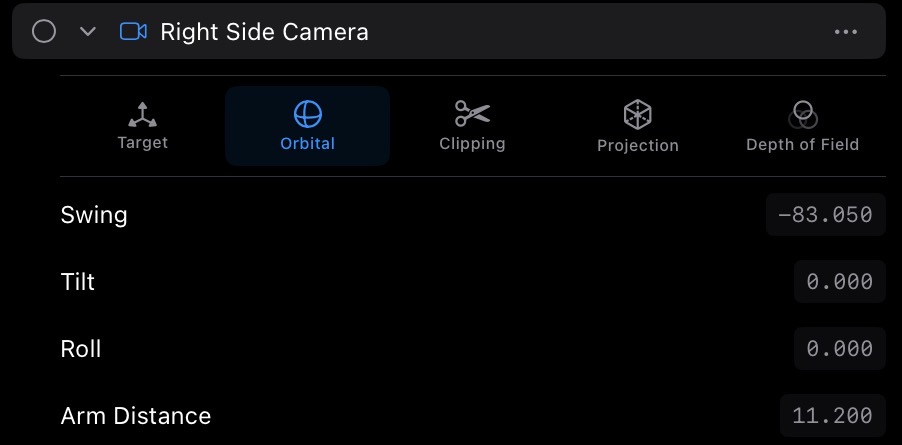
Before touching anything, get the mental model, because it makes all four controls obvious. This is the orbital rig. Picture the camera sitting on the end of a boom arm, and that arm is attached to the target point. The camera never wanders freely. It rides the arm, and it always faces down the arm toward the target. Every control on this tab moves that arm, or spins the camera riding on it.
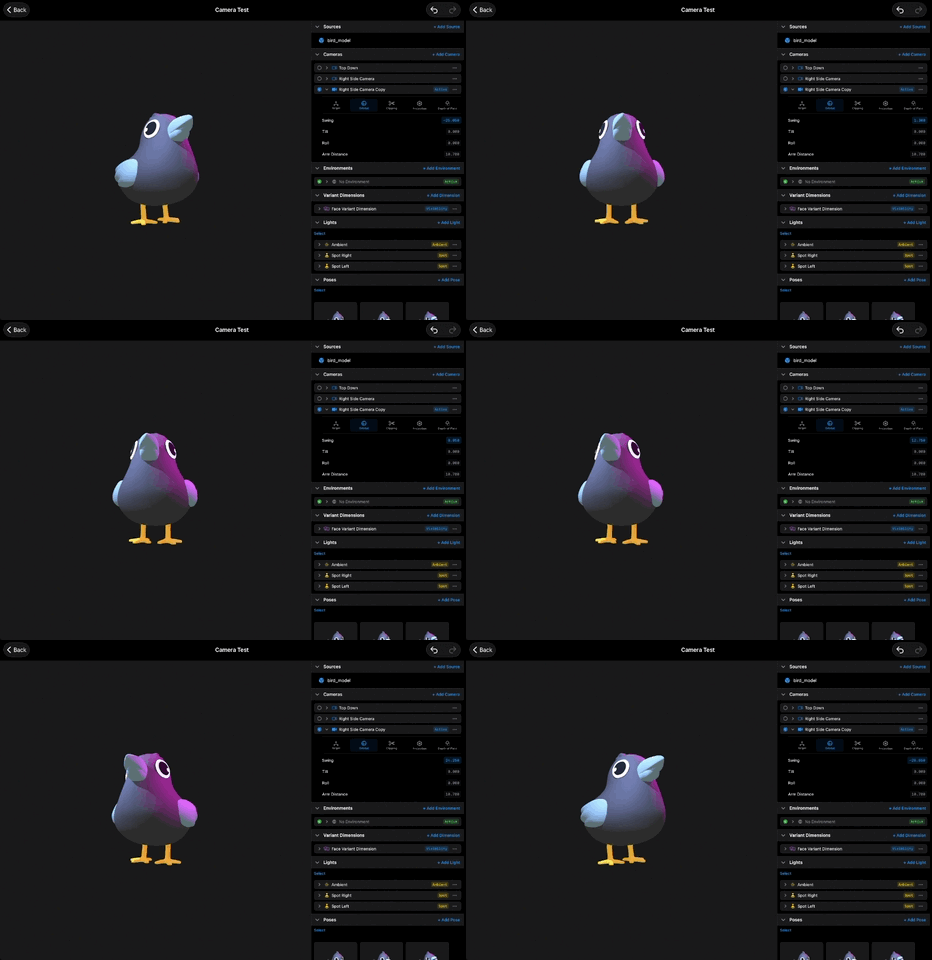
Start with Swing. It rotates the arm around the vertical axis, and the name tells you what it does: drag the field and the camera swings around the target, left or right, like the boom arm sweeping in a circle. The model stays put. You are the one circling it. Sweep a full lap and you will pass the front, the side, the back, and home again.
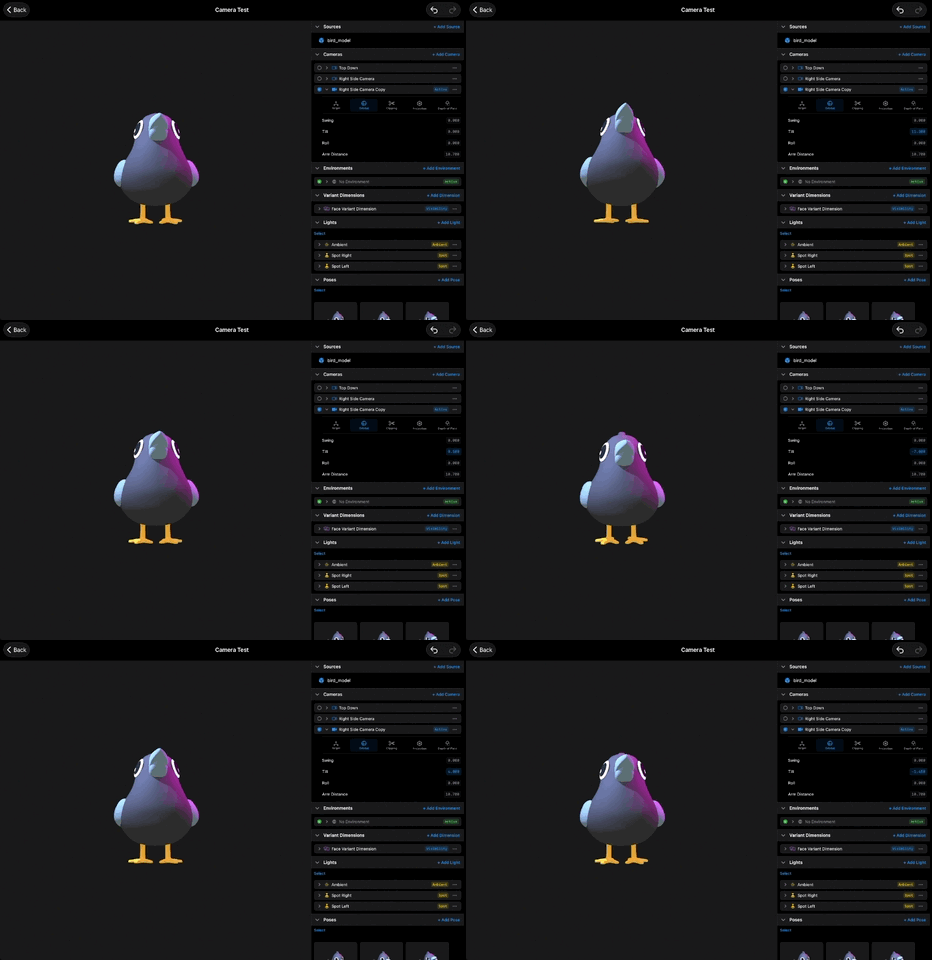
Next, Tilt. It rotates the arm around the horizontal axis, angling it over or under the target. Drag one way and the camera rises toward a top-down view, looking down at the subject. Drag the other way and it dips low, looking up. Low angles make a subject feel big and imposing. High angles make it feel small. This one value is a lot of the emotion of a shot.
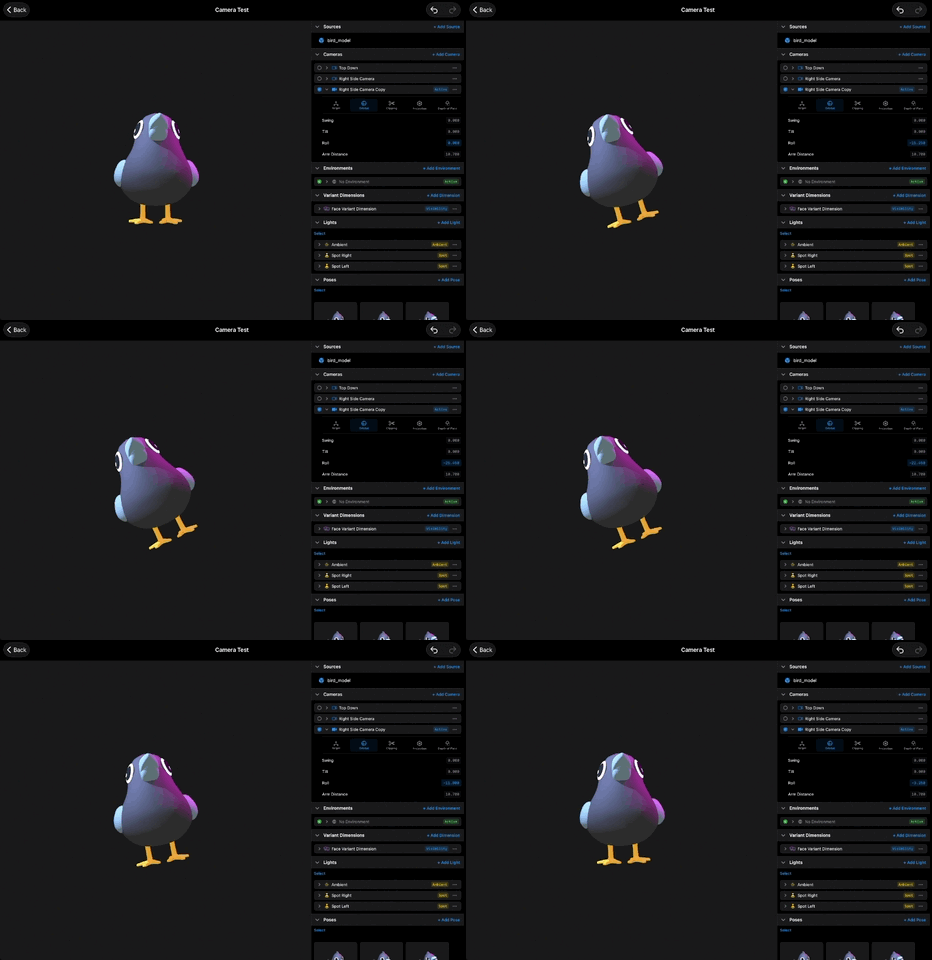
Then comes Roll. It spins the camera around its own view axis, the invisible line running from the lens to the target. The framing stays locked on the subject, but the horizon tips. A few degrees adds quiet tension, and a hard roll gives you a full dutch angle. Bring it back to zero and the shot is level again.
The last control is Arm Distance. This slides the camera along the arm, toward the target or away from it. Negative values pull the camera back, so more negative means farther away and a wider view of the subject. Bring the value toward zero and the camera slides in close.
Now put them together, because real framing is usually a mix. Try a classic hero shot: Swing to a three-quarter angle, Tilt slightly below level so the camera looks up a touch, Arm Distance pulled back until the whole model breathes in frame, and a few degrees of Roll if the shot wants extra drama. Four drags, one deliberate shot.
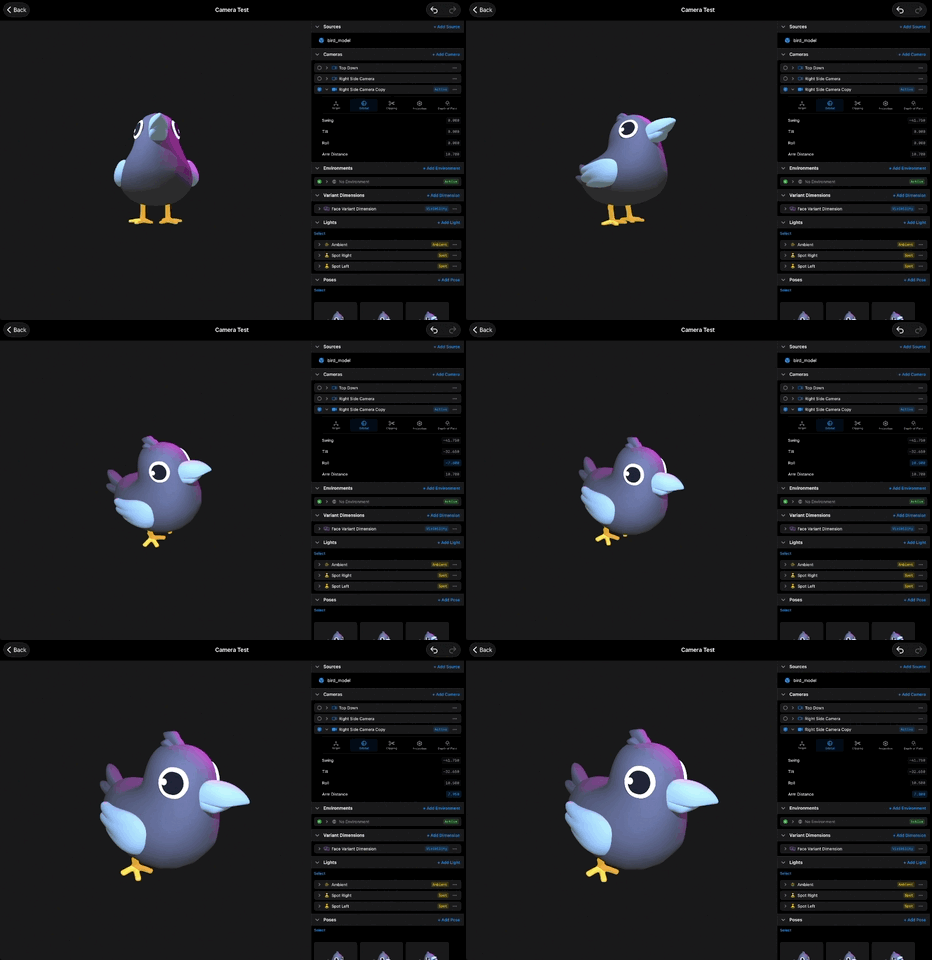
Notice what you never had to do: aim the camera. The boom arm handles aim for free, because the camera always faces the target. You choose where on the sphere around the subject to stand, and how far away, and the look-at is automatic. This is why the target lesson came first. If your framing ever drifts off the subject, the fix is on the Target tab, not here.
And like the other camera properties, Swing, Tilt, Roll, and Arm Distance can each be bound and animated in a scene.
Recap
- The orbital rig is a boom arm: the camera rides an arm attached to the target and always faces it.
- Swing circles the camera around the target, left and right.
- Tilt angles the camera over or under the target.
- Roll spins the camera around its view axis, tipping the horizon while the framing stays on target.
- Arm Distance slides the camera along the arm, and negative values pull it back.
- All four values can be bound and animated in a scene.