Depth of Field
Focus Distance, F-Stop, and Aperture Blades for cinematic focus.
Sharp subject, soft dreamy background. That one look is what makes a shot feel like it came off a real camera, and it takes exactly three controls.
Everything you have framed so far has been sharp from front to back. Real lenses do not work that way. They focus at one distance, and everything nearer or farther goes soft. That falloff is depth of field, and it is the last tab in the camera editor. Open your camera and switch to Depth of Field.
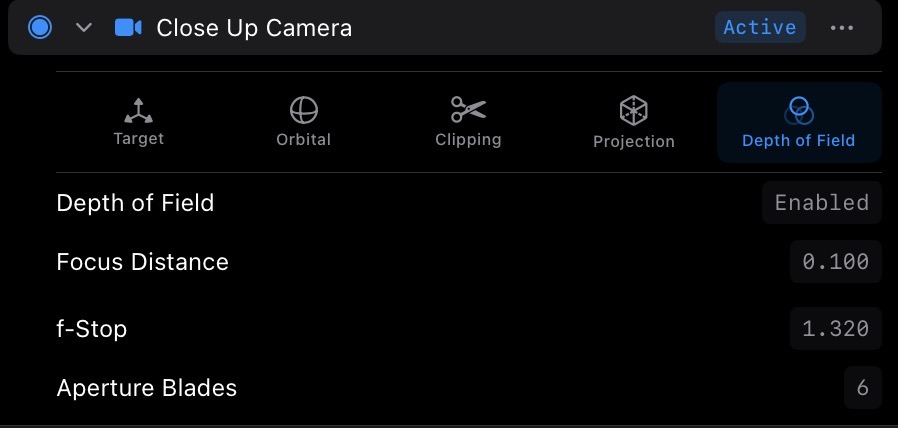
For this lesson, a scene with depth helps. Frame your shot so something sits close to the camera and something else sits farther back. Two instances at different distances work great.
The first control is Focus Distance. Focus Distance is where the sharp plane sits, measured from the camera. Picture a sheet of glass hanging in front of the lens at that distance: whatever touches the glass is perfectly sharp, and things blur more the farther they sit from it, in either direction.
Drag Focus Distance and watch focus travel through the scene. At a small value the near object snaps sharp and the back goes soft. Keep dragging and the sharpness rolls backward: the near object melts into blur as the far one resolves. This move has a name in filmmaking, the rack focus, and here it is one drag field.
The second control is F-Stop, and it sets how thick that sheet of sharpness is. This value comes straight from photography, and it works the same way here: lower F-Stop means a shallower band of focus and a blurrier background. Drag F-Stop down and the background dissolves into soft shapes while your subject pops off the screen. Drag it up and the band of sharpness deepens until nearly everything is in focus again, and the effect all but disappears.
Now look into that blur. See the bright out-of-focus spots? Those shapes are called bokeh, and the third control, Aperture Blades, shapes them. It mirrors the blades inside a physical lens iris. Fewer blades give the highlights an angular, geometric edge. More blades round them off into smooth circles. Drop a bright highlight behind your subject and scrub the value to watch the shapes shift.
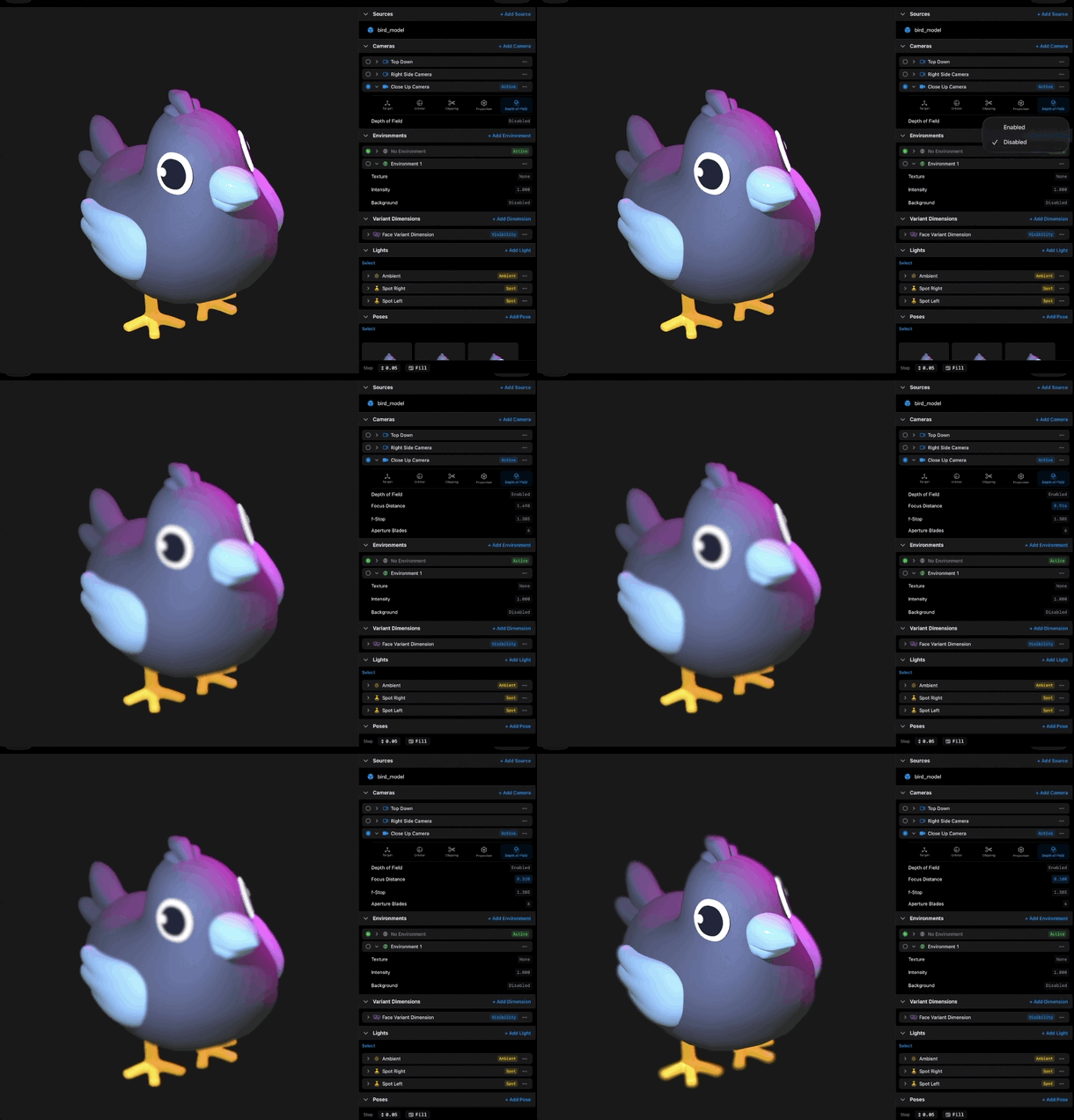
A recipe to start from: set Focus Distance so your subject is sharp, lower F-Stop until the background separates without turning to soup, and leave Aperture Blades wherever the bokeh pleases you. Subtle reads as cinematic. Extreme reads as miniature.
And one last time for the course: Focus Distance, F-Stop, and Aperture Blades can all be bound and animated in a scene. An animated Focus Distance is a rack focus in motion. That is its own lesson.
That completes the camera editor tour.
Recap
- Focus Distance places the sharp plane, measured from the camera.
- F-Stop sets depth of focus: lower means shallower and a blurrier background.
- Aperture Blades shapes the bokeh, from angular to round.
- Start subtle: sharp subject, gently separated background.
- All three values can be bound and animated in a scene.