Swap Model
Replace a source model without losing your work. Unmapped bindings keep you safe.
A new version of your model just arrived, and you have hours of rig work built on the old one. In this lesson you swap the file underneath without losing a single thing you built.
Here is a situation you will absolutely run into. You built a rig around a model: instances placed, controls wired to nodes in its hierarchy. Then the model changes. The artist sends a fixed version, or you find a better asset, or the client picks a different design. The naive move is to delete the source and start over. Do not do that. This is what Swap Model is for.
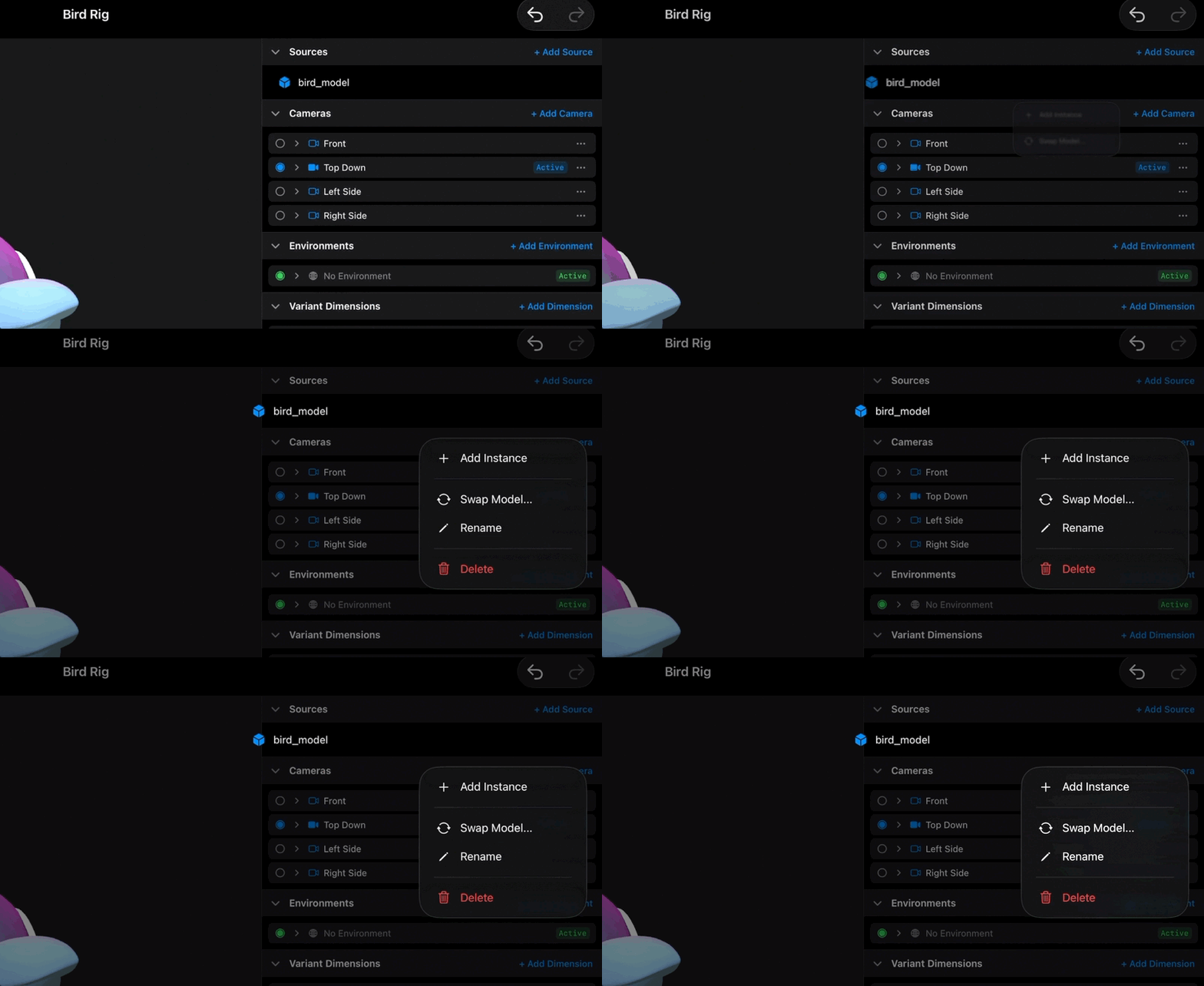
Swap Model lives on the source. Open the Sources section, go to your source, and choose "Swap Model…". It opens the Files document picker, the same one from Add Model, and it takes the same formats: GLB or USDZ. Pick the new file.
Kilona replaces the file underneath the source, and everything you built stays. Every instance of that source is still placed, still in position, and now draws the new model. This is the source and instance split from earlier in this course paying off: your instances point at the source, not at the file, so changing what the source holds updates all of them at once.
Now the important question. Your controls point at named nodes inside the old model's hierarchy. What happens to them when the hierarchy changes? Kilona matches by node name. Every binding whose node exists in the new model, same name, reconnects automatically and keeps working like nothing happened. If the new file has the same skeleton and naming, the swap is seamless and you are done.
But sometimes the new model is missing a node the old one had. Maybe it was renamed, maybe it was cut. Here is where Kilona protects you: those bindings are not deleted. They become unmapped. An unmapped binding sticks around and shows you the reason it is not working, like: Node 'happy_eyes' not found. Your work is preserved, and the message tells you exactly which node the binding is waiting for.
And unmapped is not a dead end. It is a waiting state. If a matching node comes back, say you swap again to a corrected file that has 'happy_eyes' in it, the binding remaps on its own and starts working again. Nothing to rebuild, nothing to rewire. This means you can swap fearlessly. Worst case, some bindings go dormant with a note saying why, and they wake up when the model catches up.
One practical tip falls out of all this: when you know a model will be revised, ask whoever makes it to keep node names stable between versions. Names are the thread that survives the swap. Stable names mean seamless swaps, every time.
So that is the workflow. Rough model early, real rig work on top, swap in better versions as they land. The rig never has to wait for the final asset.
Recap
- "Swap Model…" on a source replaces the file while keeping everything you built.
- Every instance updates to the new model, in place.
- Bindings reconnect by node name wherever the name still exists.
- Bindings that lose their node become unmapped and show the reason, like: Node 'happy_eyes' not found.
- Unmapped bindings remap automatically when a matching node comes back.